Content Delivery Networks (CDNs) have become essential infrastructure for modern websites. By distributing content across global edge servers, CDNs dramatically improve load times, reduce server load, and enhance user experience worldwide. This guide shows you how to implement and optimize CDN integration for maximum performance.
What is a CDN and Why You Need One
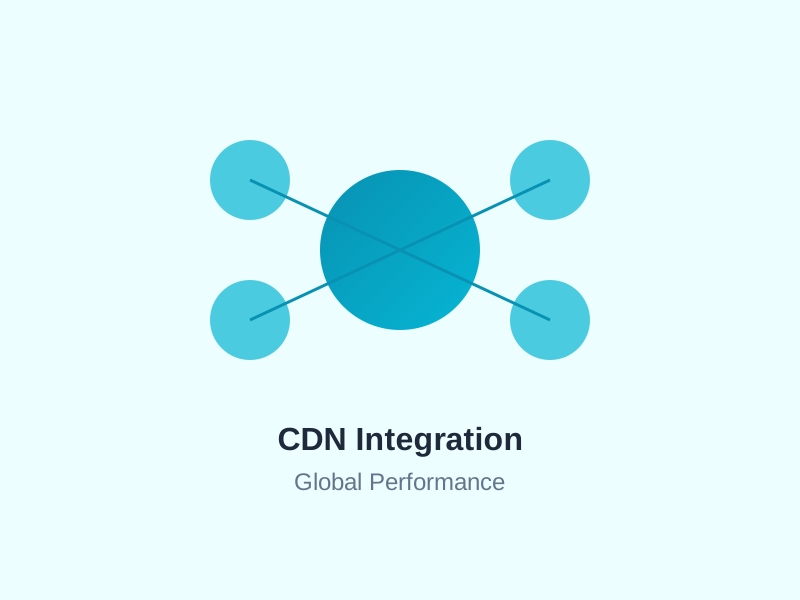
A CDN is a geographically distributed network of servers that cache and deliver your website's static content from locations closest to your users.
Benefits of Using a CDN
- Faster load times: Content delivered from nearest edge server (40-60% faster)
- Reduced bandwidth costs: Offload 70-80% of traffic from origin server
- Improved availability: Content remains accessible even if origin server is down
- DDoS protection: Distribute malicious traffic across network
- Better SEO: Google prioritizes fast-loading sites
- Global reach: Consistent performance worldwide
How CDNs Work
The CDN process:
- User requests content from your website
- DNS routes request to nearest CDN edge server
- Edge server checks if content is cached
- If cached: Delivers content immediately
- If not cached: Fetches from origin server, caches it, then delivers
- Subsequent requests served directly from cache
Choosing the Right CDN Provider
Cloudflare
Best for: Small to medium sites, ease of use
- Free tier with unlimited bandwidth
- 275+ data centers globally
- Built-in DDoS protection
- Easy DNS integration
- Web Application Firewall included
Amazon CloudFront
Best for: AWS users, enterprise solutions
- Deep AWS integration
- 450+ edge locations
- Pay-as-you-go pricing
- Advanced customization options
- Lambda@Edge for edge computing
Fastly
Best for: Real-time content, high performance
- Instant cache purging (150ms globally)
- Real-time analytics
- Edge computing with VCL
- Higher pricing but exceptional performance
BunnyCDN
Best for: Budget-conscious sites
- Very affordable ($0.01/GB)
- 114 PoPs worldwide
- Simple setup
- Good performance-to-cost ratio
CDN Setup and Configuration
Step 1: DNS Configuration
Point your domain to the CDN:
Method A: DNS Change (Full site CDN)
# Update nameservers to CDN provider
Nameserver 1: ns1.cdn-provider.com
Nameserver 2: ns2.cdn-provider.com
Method B: CNAME (Subdomain CDN)
# Create CNAME record for static assets
cdn.yourdomain.com CNAME dist-yourid.cdn-provider.com
Step 2: Configure Origin Server
Tell the CDN where to fetch content:
- Origin server: yourdomain.com or123.456.789.0
- Origin protocol: HTTP or HTTPS
- Host header: yourdomain.com
Step 3: SSL/TLS Configuration
Enable HTTPS for CDN:
- Free SSL: Let's Encrypt certificates (auto-renew)
- Custom SSL: Upload your own certificate
- Full (strict): End-to-end encryption
Optimization Strategies
1. Cache Everything Possible
Configure aggressive caching rules:
Static Assets (Long Cache):
- Images: 1 year
- CSS/JS: 1 year (use versioning)
- Fonts: 1 year
- PDFs/downloads: 1 month
Dynamic Content (Short Cache):
- HTML: 1 hour to 1 day
- API responses: 5 minutes to 1 hour
- User-specific: No cache or very short
2. Set Proper Cache Headers
Configure cache control on origin server:
# Nginx configuration
location ~* \.(jpg|jpeg|png|gif|ico|css|js|woff2)$ {
    expires 1y;
    add_header Cache-Control "public, immutable";
}

location ~* \.html$ {
    expires 1d;
    add_header Cache-Control "public, must-revalidate";
}
3. Use Cache Keys Wisely
Customize what makes content unique:
- Ignore query strings for static files
- Include specific query params for variants
- Consider device type for responsive sites
- Geographic location for localized content
4. Implement Cache Purging
Clear cache when content updates:
- Full purge: Clear all cached content
- URL purge: Clear specific files
- Tag purge: Clear groups of related content
- Automated purging: Integrate with CMS/deployment pipeline
Advanced CDN Features
Image Optimization
Modern CDNs offer automatic image optimization:
- Format conversion (WebP, AVIF)
- Automatic compression
- Responsive image sizing
- Lazy loading support
<!-- URL-based image optimization -->
<img src="https://cdn.yourdomain.com/image.jpg?width=800&quality=85&format=webp" />
Edge Computing
Run code at the edge for ultra-low latency:
- A/B testing at the edge
- Authentication and authorization
- URL rewriting and redirects
- API request routing
- Personalization without origin server hit
DDoS Protection
CDNs provide built-in protection:
- Automatic traffic filtering
- Rate limiting
- Challenge pages for suspicious traffic
- IP reputation database
Measuring CDN Performance
Key Metrics to Track
- Cache hit ratio: Target 85-95%
- Time to first byte (TTFB): Should be under 200ms
- Bandwidth savings: How much traffic is offloaded
- Error rates: 4xx and 5xx errors
- Geographic performance: Load times by region
Testing Tools
- WebPageTest: Multi-location performance testing
- GTmetrix: Waterfall analysis shows CDN effectiveness
- CDN provider dashboard: Real-time analytics
- Chrome DevTools: Network tab shows cache hits
Common CDN Mistakes to Avoid
- Not setting cache headers: CDN can't cache without proper headers
- Caching too aggressively: Stale content shown to users
- Ignoring cache keys: Every query string creates new cache entry
- No cache purging strategy: Old content persists after updates
- Mixed content warnings: HTTP resources on HTTPS site
- Not monitoring cache hit ratio: Can't optimize what you don't measure
CDN for Different Content Types
Static Websites
- Cache everything
- Use longest possible TTLs
- Purge on deploy
- Perfect cache hit ratio possible
WordPress Sites
- Cache HTML for non-logged-in users
- Bypass cache for logged-in users
- Purge on post publish/update
- Use plugins like WP Rocket or W3 Total Cache
E-commerce Sites
- Cache product pages aggressively
- Don't cache cart/checkout
- Use edge-side includes (ESI) for personalization
- Purge product pages on inventory updates
API Endpoints
- Cache GET requests only
- Short TTLs (minutes, not hours)
- Vary by authentication headers
- Consider rate limiting at edge
Security Considerations
Secure Your Origin
- Accept traffic only from CDN IPs
- Use firewall rules to block direct access
- Implement origin authentication
- Monitor for origin IP leaks
SSL/TLS Best Practices
- Use TLS 1.3 for best security and performance
- Enable HTTP/2 or HTTP/3
- Implement HSTS (HTTP Strict Transport Security)
- Use strong cipher suites
Cost Optimization
Reducing CDN Costs
- Optimize images: Smaller files = lower bandwidth
- Increase cache hit ratio: Fewer origin pulls
- Use tiered caching: Regional caches before global
- Compress text files: Enable gzip/brotli
- Remove unused assets: Don't cache what you don't need
- Choose right pricing tier: Committed usage discounts
Future of CDN Technology
Emerging trends:
- Edge computing growth: More logic at the edge
- HTTP/3 adoption: Faster, more reliable connections
- AI-powered optimization: Automatic performance tuning
- WebAssembly at edge: Run any language at edge servers
- Quantum-safe encryption: Preparing for quantum computing
Conclusion
CDN integration is no longer optional for serious websites. The performance benefits, cost savings, and security improvements make CDNs essential infrastructure. By choosing the right provider, configuring caching properly, and continuously optimizing, you can deliver lightning-fast experiences to users worldwide.
Start with basic CDN setup, measure performance improvements, then gradually implement advanced features like edge computing and image optimization. The investment in CDN implementation pays immediate dividends in user experience and server cost reduction.
Need CDN integration help? FadaHosting includes free Cloudflare CDN integration with all hosting plans. Get global content delivery, DDoS protection, and automatic SSL certificates out of the box. Experience the performance difference today!